Your VTuber chat overlay should match your model’s vibe — cute, pastel, and playful, not a plain grey box. With ready-made CSS themes you can give your live chat a kawaii look in OBS — no coding. Here’s how.
Cute chat overlays, styled in OBS
The easiest way is Social Stream Ninja (SSN), which brings your chat from YouTube, Twitch, TikTok and 120+ platforms into one overlay that you style with a Social Stream CSS file. Every Doodlekuma theme has an OBS-friendly transparent background, so your chat floats prettily over your VTuber scene.
Set up your VTuber chat overlay
- In Social Stream Ninja, connect your platform (YouTube, Twitch, TikTok…) so messages flow in.
- Copy the Main chat overlay & control dock URL (
https://socialstream.ninja/dock.html?session=…). - In OBS, add a Browser Source and paste that URL (
1920×1080). - Download a Social Stream theme from the Doodlekuma live chat gallery and paste its CSS into the Browser Source’s Custom CSS box.
Full step-by-step with screenshots: How to Use Social Stream Ninja Chat CSS in OBS.
Cute themes made for VTubers
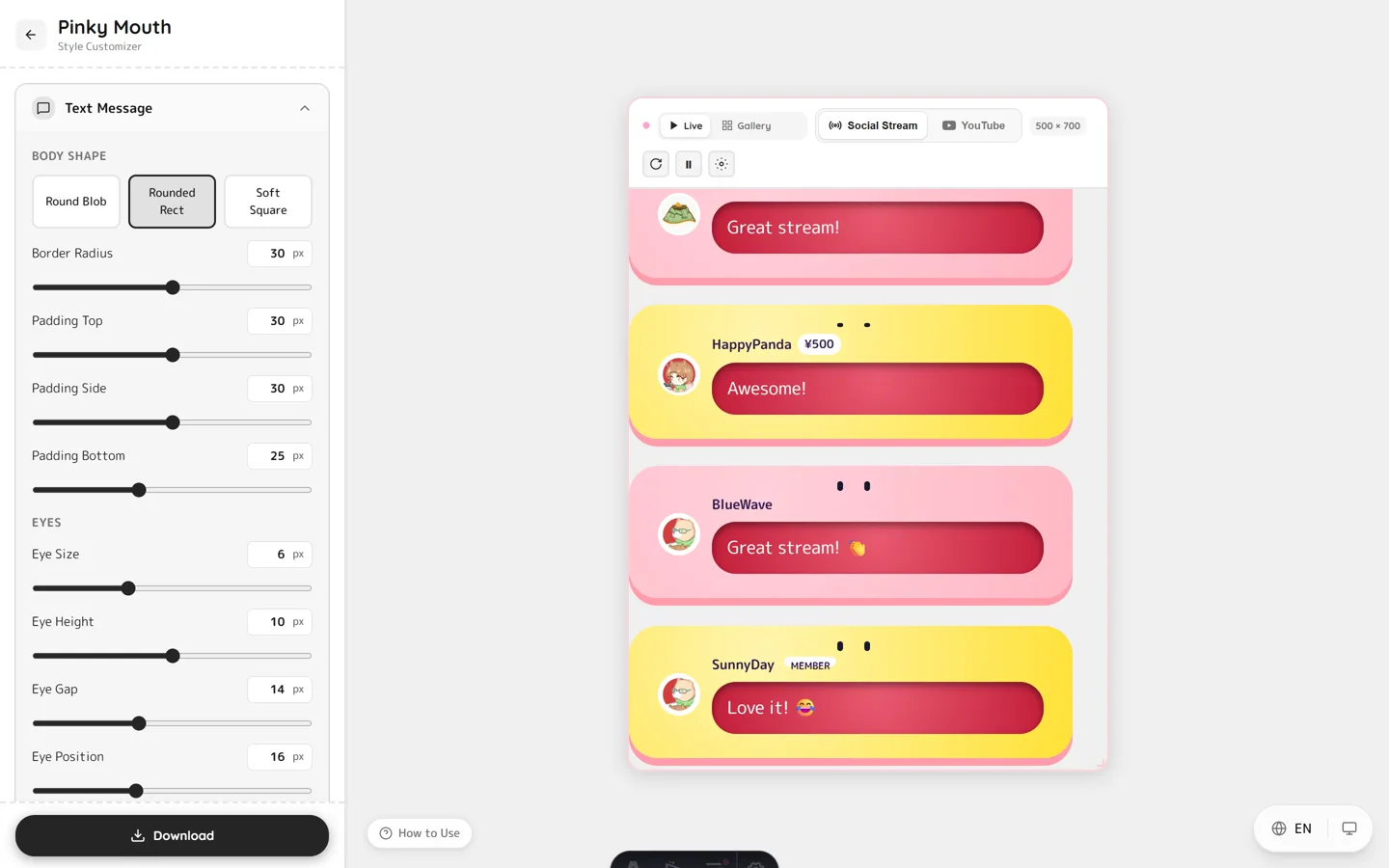
Every theme in the gallery is a live, editable preview, so you can match your colors before exporting. Favorites for VTubers:
- Pinky — a round pastel character with eyes and blush; adorable.
- Bubble message — soft LINE/Telegram-style chat bubbles with pop-in animations.
- Paper Token — cozy paper-collage style for a warm, crafty room.
Finish the look with room assets
Pair your chat overlay with matching backgrounds and desk foregrounds — see VTuber Stream Room Assets for free pastel scene pieces that complete your setup.
FAQ
Do I need to know CSS to style my VTuber chat?
No. Pick a cute theme, customize the colors, download the CSS, and paste it into your OBS Browser Source — no coding required.
Will the chat background be transparent over my model?
Yes. Doodlekuma themes ship with an OBS-friendly transparent background, so only the messages show over your VTuber scene.
Can I use it on YouTube, Twitch and TikTok?
Yes. Social Stream Ninja aggregates YouTube, Twitch, TikTok, Kick and 120+ platforms, and one Social Stream CSS styles them all.
Does it work in OBS and Streamlabs?
Yes. Any software with a Browser Source and Custom CSS field works, including OBS Studio and Streamlabs.
Ready to make your chat as cute as your model? Open the live chat gallery, pick a theme, and style your VTuber chat overlay in minutes.